

Getting started
This page walks you from nothing to a working panel with your first table registered: install, connect your database, log in, register tables.
Prefer to click around first?
A hosted demo runs the bundled Acme dataset at https://demo.cartapel.com — no login needed. Or run the same demo locally with docker compose up from a repo checkout.
Install
cartapel is a single binary. Pull the Docker image, or build it from source:
docker pull ghcr.io/de-rus/cartapel:latest# Requires a recent Rust toolchain and pnpm (for the embedded SPA).
cd ui && pnpm install && pnpm build && cd ..
cargo build --release
# → target/release/cartapelThe frontend is a single-page app compiled once and embedded into the binary. The result is entirely self-contained: no Node runtime at serve time, no static-file directory to ship.
First run
cartapel needs, at minimum, a database URL and a secret key:
export CARTAPEL_SECRET_KEY="$(openssl rand -hex 32)"

cartapel serve \
  --db postgres://user:pass@host:5432/mydb \
  --schema public \
  --config ./admin \
  --data ./cartapel-data

# MySQL or MariaDB: same command, different scheme
cartapel serve --db mysql://user:pass@host:3306/mydb --config ./admin--db— the database connection URL (postgres://…ormysql://…— the scheme picks the engine; ClickHouse attaches as a secondary read-only source). Also settable viaCARTAPEL_DB, or as the URL of the primarysourcein config (see below).--schema— the Postgres schema to introspect (a MySQL source is scoped to the database in its URL). Defaults topublic; set the source'sschemaslist for more than one.--config— a directory of HCL config files (see below). Optional, but without it no tables are exposed.--data— where cartapel keeps its own state (users, sessions, audit log, config history) as a SQLite database. Defaults to./cartapel-data.
On startup cartapel introspects your schema, loads the config directory, and logs what it found:
INFO cartapel: introspected 41 tables from schemas ["public"]
INFO cartapel: cartapel listening on http://127.0.0.1:8686/admin/
The panel is served under /admin by default, and http://…:8686/ redirects there. Change the mount path with --base-path — --base-path '' serves at the root, --base-path /panel at a sub-path. It's applied at runtime, so one binary or image serves any prefix.
cartapel never writes to your database on its own
Your database is only written to when a panel user edits a row, runs a bulk action, or imports data. All of cartapel's own bookkeeping lives in the separate SQLite state directory.
Log in
The first time serve runs against an empty state directory (zero users), cartapel bootstraps an admin account so you can log in:
export CARTAPEL_ADMIN_EMAIL="[email protected]"
export CARTAPEL_ADMIN_PASSWORD="a-strong-password"
cartapel serve ...
With both env vars set, that exact account is created.
If
CARTAPEL_ADMIN_EMAILis unset, it defaults toadmin@localhost.If
CARTAPEL_ADMIN_PASSWORDis unset, cartapel generates a random password and prints it once to the log:WARN cartapel: bootstrapped admin user [email protected] with password: 7hK2mQ...
Passwords are stored as argon2id hashes; login is rate-limited per IP.
Adding users later
cartapel user add [email protected] --role support --data ./cartapel-data creates or updates a user without the server running. See the CLI reference.
Register your first tables
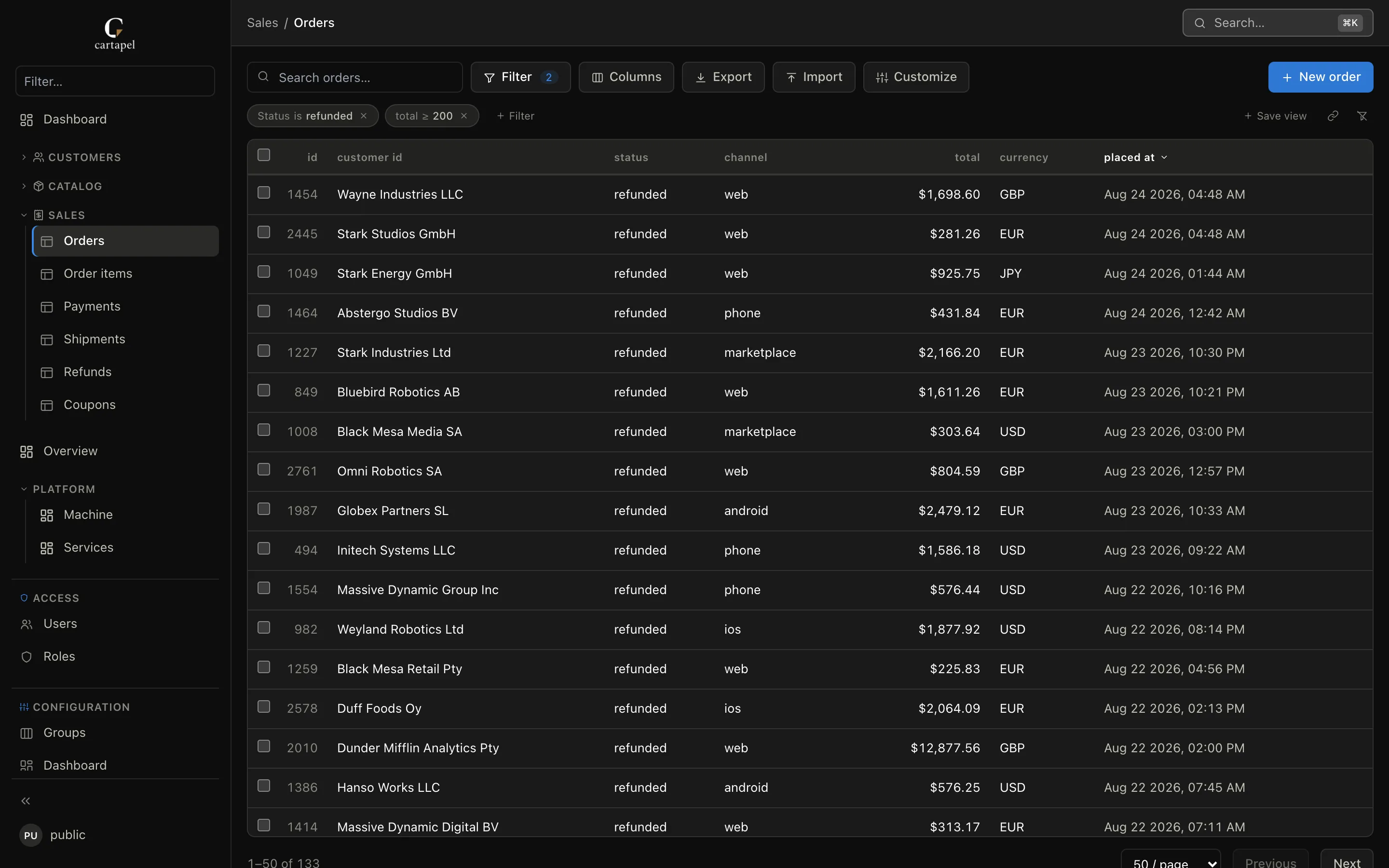
The panel is an allowlist: only tables with a config file are exposed. An introspected-but-unconfigured table is absent from the navigation and 404s if you hit its URL directly. So a fresh panel starts empty — fill it with the setup wizard, or with config files by hand.
The setup wizard
When an admin logs into a panel with zero configured tables, cartapel redirects them to the setup wizard at /_setup. It lists every introspected table (with approximate row counts) and builds the whole first config on one screen:
- Everything is pre-selected except framework noise (
schema_migrations,_prisma_migrations,django_migrations, …) and tables without a primary key — both stay in the list, flagged, and can be ticked back on. Views are labeled too. - Tables arrive pre-sorted into suggested groups: one group per schema when you introspect several, otherwise by shared name prefix (
order_items,order_events→ an "Order" group). - You can rename any group inline, move a table to another group, or create a new group on the spot.
One click then writes the plan as a single atomic batch — a _group.hcl per group plus an empty config file per table (empty = introspected defaults) — and hot-swaps it into the live panel, no restart. If the config directory is read-only, nothing is written: the wizard shows every would-be file with a copy button so you can commit them to your repo instead.
By hand
The wizard writes ordinary files; you can just as well author them yourself. First, tell cartapel which database to read. The reserved config/cartapel.hcl declares the primary source; its URL comes from CARTAPEL_DB / --db:
# admin/config/cartapel.hcl
source "main" {
  type    = "postgres"
  url     = "env:CARTAPEL_DB"
  primary = true
}
Now expose a table. The smallest possible table config is an empty screen.hcl in a table folder under a group — the folder name is the table:
mkdir -p admin/screens/catalog/products
touch admin/screens/catalog/products/screen.hcl
That empty screen.hcl registers the products table. It renders with introspected defaults: all columns in the list, sensible widgets for each type, FKs as links, timestamps localized.
From there you refine it:
# admin/screens/catalog/products/screen.hcl
label_plural = "Products"

list {
  columns = ["id", "name", "price", "in_stock", "created_at"]
  search  = ["name", "sku"]
  filters = ["in_stock"]
  sort    = "-created_at"
}

field "price" {
  widget = "money"
  params = { currency = "USD" }
}

field "in_stock" {
  widget = "toggle"
}
And a _group.hcl in the group folder names the sidebar group:
# admin/screens/catalog/_group.hcl
label = "Catalog"
icon  = "package"   # any lucide icon name
order = 1
Save the files — cartapel watches the config directory and hot-reloads on change (debounced; a broken edit keeps the last good config and logs the error). The Catalog group appears with your Products table inside it, no restart. In-app builder edits — including the setup wizard — hot-swap the same way.
What's next
- Configuration overview — the full config model.
- Tables — every option in a
screen.hcl. - Fields & widgets — the widget library.
- CLI & environment — every flag and env var, plus
cartapel checkfor CI.