

Roles & permissions
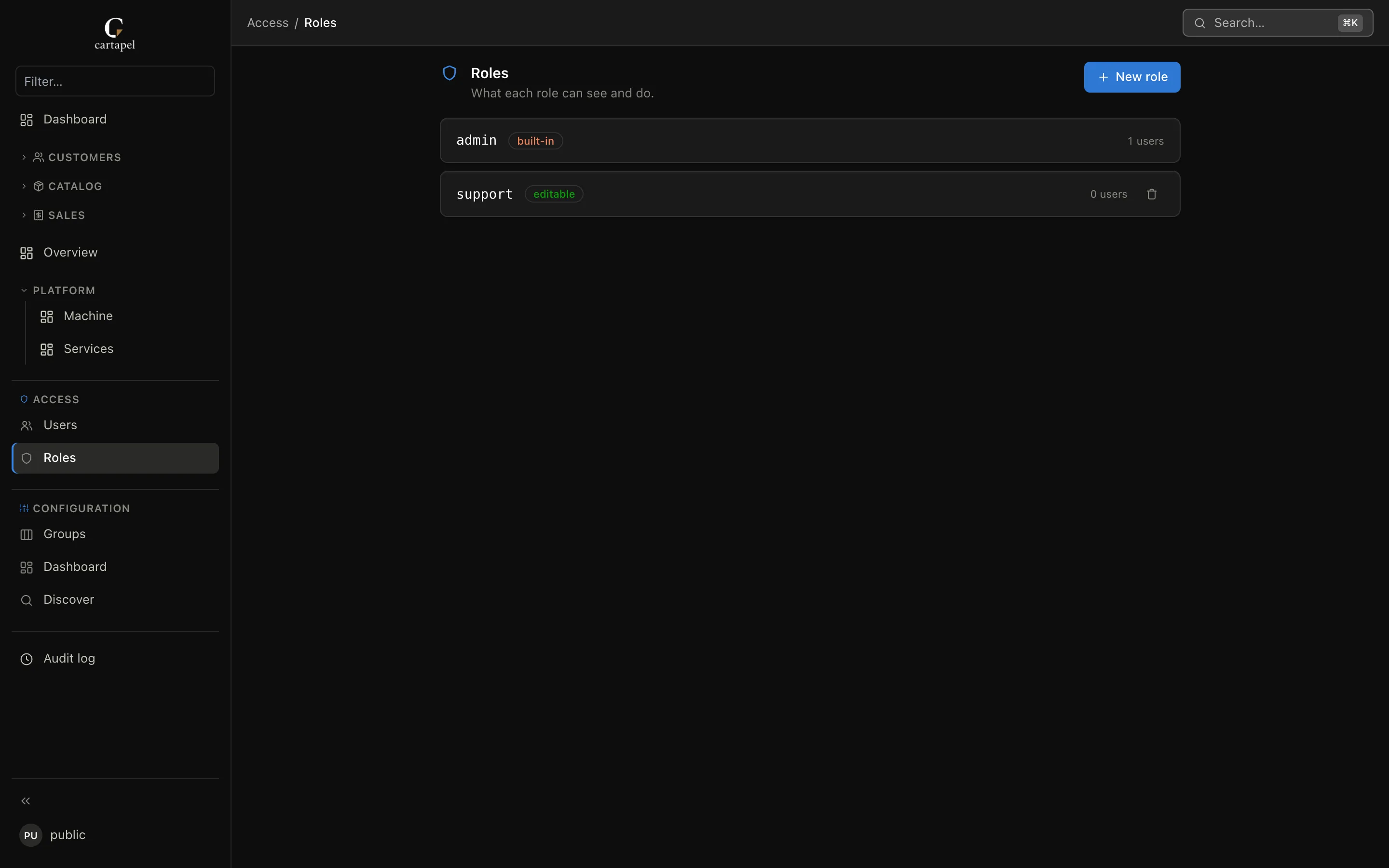
Access is governed by roles. Each user carries one or more roles (permissions union — see Multiple roles per user); a role grants access to tables, columns, rows and actions. Roles are authoritative in config/auth.hcl — versioned config you review like code. The in-app roles screen edits that same file: creates, edits and deletes write config/auth.hcl atomically and hot-swap the live config (on a read-only bundle it hands you the HCL to commit yourself).
How a permission is decided
- Each role's coarse
tableslevel sets a baseline (read/write/ none). - The role's
perm "<table>"block refines it per capability (view / create / update / delete). - With several roles, capabilities OR together — privileges add up, restrictions need unanimity.
- The result is ANDed with the table config's
permissions { }ceiling (writes only). - A view or PK-less table is structurally read-only — no role, admin included, can write it.
- Masking, row filters and
editablethen narrow what an allowed request can touch.
Public access (no login)
Show
# config/auth.hcl
public_role = "viewer"
With public_role set, anonymous visitors act as that role without logging in — kiosk dashboards, read-only status panels, hosted demos. It accepts a comma-separated list of roles, exactly like a user's assignment. A real session always wins over the anonymous identity, log in normally to switch. Naming an unknown role is a load error. Point it at a write-capable role only if you truly mean it: everyone on the network gets that power.
The admin role
Show
admin is built in. It has full access to everything and cannot be edited or deleted. It bypasses the role-side refinements below (levels, perm, editable, role masking, row filters) — but not the table itself: a table config's permissions { } ceiling and structural read-only-ness (a view or a PK-less table) bind admins too, and so do automatic and field-level column masking.
config/auth.hcl
Show
Every role is a role "<name>" { } block:
role "staff" {
  tables = {
    "*"          = "read"
    "orders"     = "write"
    "products"   = "write"
    "customers"  = "write"
  }

  actions = [
    "orders.mark_shipped",
    "orders.refund",
    "products.activate",
    "products.deactivate",
  ]

  masked = {
    "subscriptions" = ["api_token"]
  }
}| Key | Type | Description |
|---|---|---|
extends | string | Parent role to inherit from — see Role inheritance. |
customize | bool | May open Personalizar and edit table configs (visual + raw HCL + version history). Config authorship — grant to trusted power users only; groups, dashboard, discover and access screens stay admin-only. Inherits through extends and unions across multiple roles. |
tables | map | The coarse access level per table: "read" or "write". "*" sets a default for every table. |
perm "<table>" { } | block | Fine-grained per-capability override (view/create/update/delete). |
editable | map | Per-table whitelist of columns this role may edit. |
actions | list | Bulk actions this role may invoke, as "<table>.<action>". |
masked | map | Per-table columns whose values are hidden from this role. |
row_filter | map | Per-table SQL predicate scoping which rows this role sees. |
role "power_user" {
  tables    = { "*" = "read" }
  customize = true   # may open Personalizar and edit table configs
}
Role inheritance
Show
A role can extend another with extends — the parent resolves first, then the child's own entries override it key by key:
role "viewer" {
  tables = { "*" = "read" }
}

role "support" {
  extends = "viewer"
  tables  = { "orders" = "write" }   # everything else stays read from viewer
}tables,perm,editable,maskedandrow_filtermerge per key: a child entry for a table replaces the parent's entry for that table wholesale.actionsis the union of parent and child.- Chains are allowed (
a→b→c). Anextendsnaming an unknown role or forming a cycle is a startup/config error, and the runtime editors reject it with a 400 — a broken hierarchy never loads silently. - The runtime Roles editor exposes this as the Inherits from selector, plus a show effective permissions toggle that renders the fully-resolved matrix (parents flattened in) read-only — what the role actually grants, not just its own overrides.
Multiple roles per user
Show
A user may carry several roles (comma-separated in the Users editor — chips in the UI). Permissions are the union, Django-groups style:
- Privileges add up: table levels take the highest (
read+write=write), granularpermcapabilities OR together,actionsunion. - Restrictions hold only when every relevant role imposes them: a column stays masked only if masked in ALL view-granting roles for that table;
row_filters OR together (a view-granting role with no filter lifts the restriction entirely); aneditablewhitelist applies only if every write-granting role has one (then the union of the lists). adminanywhere in the list makes the user an admin.
A broad role lifts restrictions
Because restrictions need unanimity, adding a generic role (e.g. a viewer with "*" = "read" and no masks/filters) to a user whose other role masked columns or filtered rows unmasks and unfilters everything that role can see. Keep broad roles narrow, or give them the same masks.
Coarse table access
Show
tables is the baseline. Two levels:
"read"— the role may view the table but not change it."write"— the role may view, create, update and delete.
The "*" wildcard sets a default for all tables; per-table entries override it:
tables = {
  "*"      = "read"      # read everything by default
  "orders" = "write"     # …but fully manage orders
}
Granular capabilities (perm)
Show
A perm "<table>" block refines the coarse level one capability at a time. Each of view, create, update, delete is optional: unset defers to the coarse tables level; set forces that value.
role "support" {
  tables = { orders = "write" }

  perm "orders" {
    view   = true
    update = true
    create = false      # can edit rows, but not add or remove them
    delete = false
  }
}
Every write capability is then intersected with the table's own permissions { } ceiling and the structural read-only gate:
update = (perm.update ?? coarse) AND ceiling.write                     AND not read-only
create = (perm.create ?? coarse) AND ceiling.write AND ceiling.create AND not read-only
delete = (perm.delete ?? coarse) AND ceiling.write AND ceiling.delete AND not read-only
view   = (perm.view   ?? coarse)          # reads have no ceiling
So create = true on a role means nothing if the table config sets permissions { create = false } (or write = false) — the ceiling wins.
Editable-column whitelist
Show
editable restricts which columns a role can write, table by table. When a table has an editable list, any column not in it is rejected on every write path (update, create, bulk, import) — on top of the usual masked / readonly / PK / computed rejections. Absent means no per-column restriction.
role "support" {
  tables   = { orders = "write" }
  editable = { orders = ["status", "total"] }   # may only change these two columns
}
This is orthogonal to masked: a column can be readable-but-not-editable, or editable-but-masked-in-display, independently.
Column masking
Show
masked lists columns whose values this role should not see. Masked values come back pre-masked (never the real value), are excluded from search and export, and cannot be used as a sort key.
masked = {
  "subscriptions" = ["api_token"]
}
Independent of roles, secret-shaped column names auto-mask for everyone (admins included), and a field-level masked = true binds admins too — see Security → Column masking.
Row-level filters
Show
row_filter scopes a role to a subset of rows via a SQL predicate that is ANDed into every query touching that table — list, count, search, and writes. A user can never see or touch a row outside their filter.
role "support" {
  tables     = { "*" = "read" }
  row_filter = {
    "customers" = "t.active AND t.plan <> 'free'"
  }
}
The current row is aliased t. The token {actor.email} is substituted with the signed-in user's email as a complete quoted, escaped SQL string literal — write it without surrounding quotes:
row_filter = {
  "orders" = "t.customer_id IN (SELECT id FROM customers WHERE email = {actor.email})"
}
Actions
Show
actions lists which bulk actions the role can invoke, each as "<table>.<action>" matching an action "…" block in that table's config. A role can only run actions listed here.
actions = ["orders.mark_shipped", "orders.refund", "products.deactivate"]Managing roles & users at runtime
Show
Admins can manage roles and users from the in-app access screens. Role edits write config/auth.hcl (atomically, versioned, hot-swapped); users live in cartapel's SQLite state. Guardrails:
- The builtin
adminrole cannot be edited or deleted — and a new role named any casing of it (Admin,ADMIN) is rejected. Role names are 1–64 chars of letters, digits,_or-. - A role still assigned to users cannot be deleted — reassign them first.
- A role other roles
extendscannot be deleted — remove the inheritance first. - You cannot delete or demote the last admin user.
- Role definitions are validated against the live schema — every referenced table, action and
editablecolumn must exist (and be configured in the admin; a role cannot reference a table cartapel doesn't expose). - A user assigned a role name that no longer exists simply gets nothing from it — stale assignments fail closed, never error.
- On a read-only config bundle, role edits change nothing — the screen returns the would-be HCL for you to commit.
Users can also be provisioned offline with cartapel user add.
View as a role
Show
An admin can impersonate any other defined role to verify exactly what it sees — pick "View as" from the user menu. While impersonating:
- Every request is evaluated with the impersonated role's permissions, masking and row filters.
- The session is read-only: any mutation is rejected with a 403 until you exit.
- It never escalates — only admins are honored, and viewing as
adminis a no-op.
A banner shows the active role the whole time; exit via the banner or the user menu.